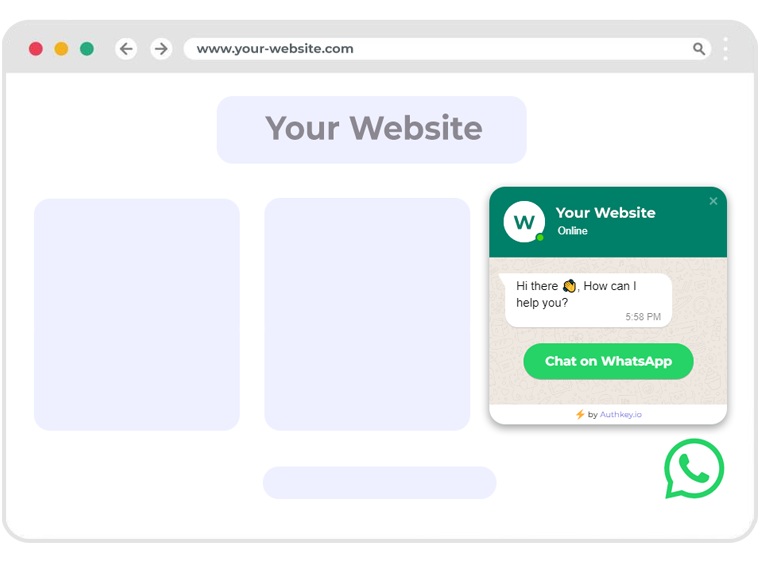
Why Add WhatsApp in Your Widget?
💬
Instant Messaging
Customers connect instantly without switching apps.
🤝
Build Trust
Verified business chat increases reliability.
📎
Easy Sharing
Share images, documents, and location directly.
📱
Cross-Platform
Works seamlessly across mobile & desktop devices.
🔔
Real-Time Alerts
Send instant order updates and notifications.
🌍
Global Reach
Engage with customers worldwide on WhatsApp.
How to Expand Your WhatsApp Widget?
Start with a floating chat bubble that’s always visible.
On click, expand into a mini widget with chat + FAQs.
Add tabs for Chat | FAQ | Offers for more interactivity.
Enable auto-trigger on scroll or inactivity to engage users.
Key Features
✔ Floating chat bubble available on all pages
✔ Expandable widget with FAQs, offers & chat
✔ Auto-trigger on scroll, exit intent, or timers
✔ Rich media support (images, PDFs, videos)
✔ Multi-agent chat routing with assignment rules
✔ Pre-saved reply templates & chatbot automation
✔ Secure communication with WhatsApp Business API
✔ Works perfectly on mobile & desktop devices
Benefits
🚀 Faster Support
Resolve customer queries instantly.
💰 Boost Sales
Increase conversions with instant trust.
🎯 Personalization
Greet users by name & preferences.
📈 Engagement
Keep customers active with chat offers.
🔒 Security
WhatsApp Business ensures encrypted chats.
🌍 Global Reach
Engage with billions of active users worldwide.